Professional Safety Light Curtain System for Material Handling and
Automated Door Safety
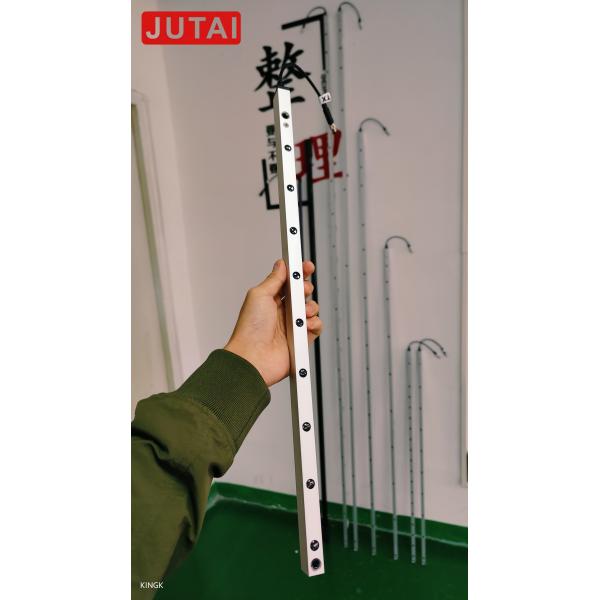
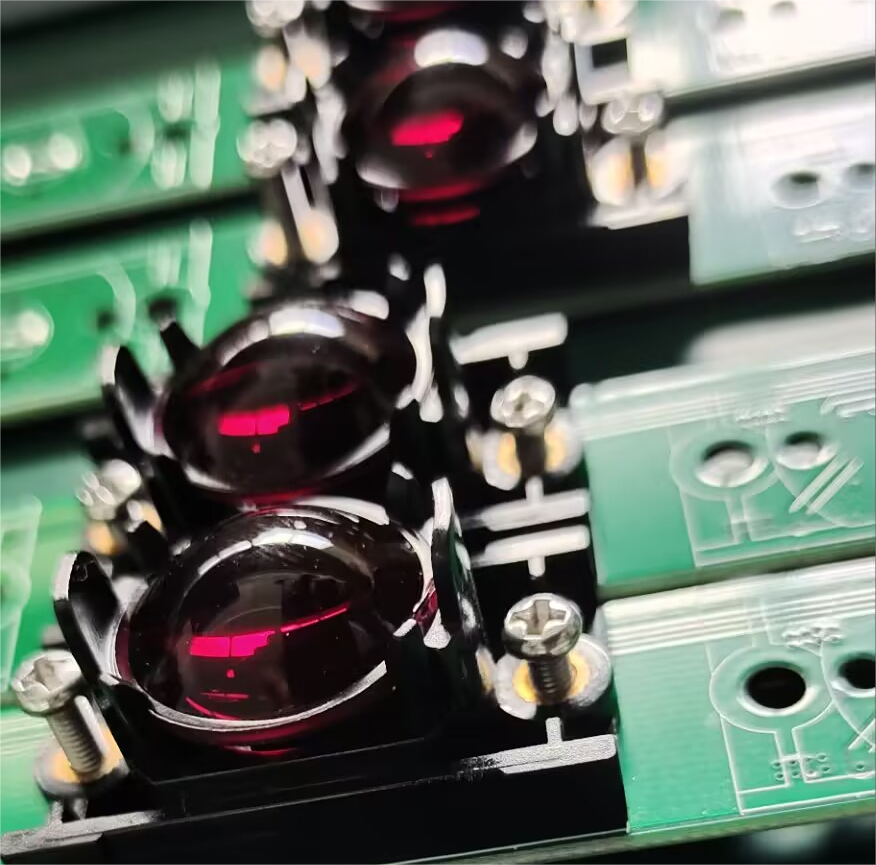
JUTAI CL20-8L Professional Safety Light Curtain System is a
dedicated protective sensing solution engineered for material
handling scenarios and automated door safety. It forms an 8-beam
invisible protective grid between the emitter and receiver,
instantly triggering safety responses (e.g., equipment stop, door
reversal) when personnel, materials, or tools intrude the detection
area. This effectively prevents pinching, crushing, or collision
accidents in material handling workflows (conveyors, AGVs, loading
docks) and automated door operations (fast doors, roller shutters),
serving as a critical safety component in industrial and commercial
environments.

Core Specifications
| Parameter | Specification |
|---|
| Model | CL20-8L |
| Working Voltage | DC12-24V |
| Working Current | Transmitter: <65mA @DC12V; Receiver: <20mA @DC12V |
| Output Configuration | NO/NC relay output (default NO, configurable to NC); COM terminal
included |
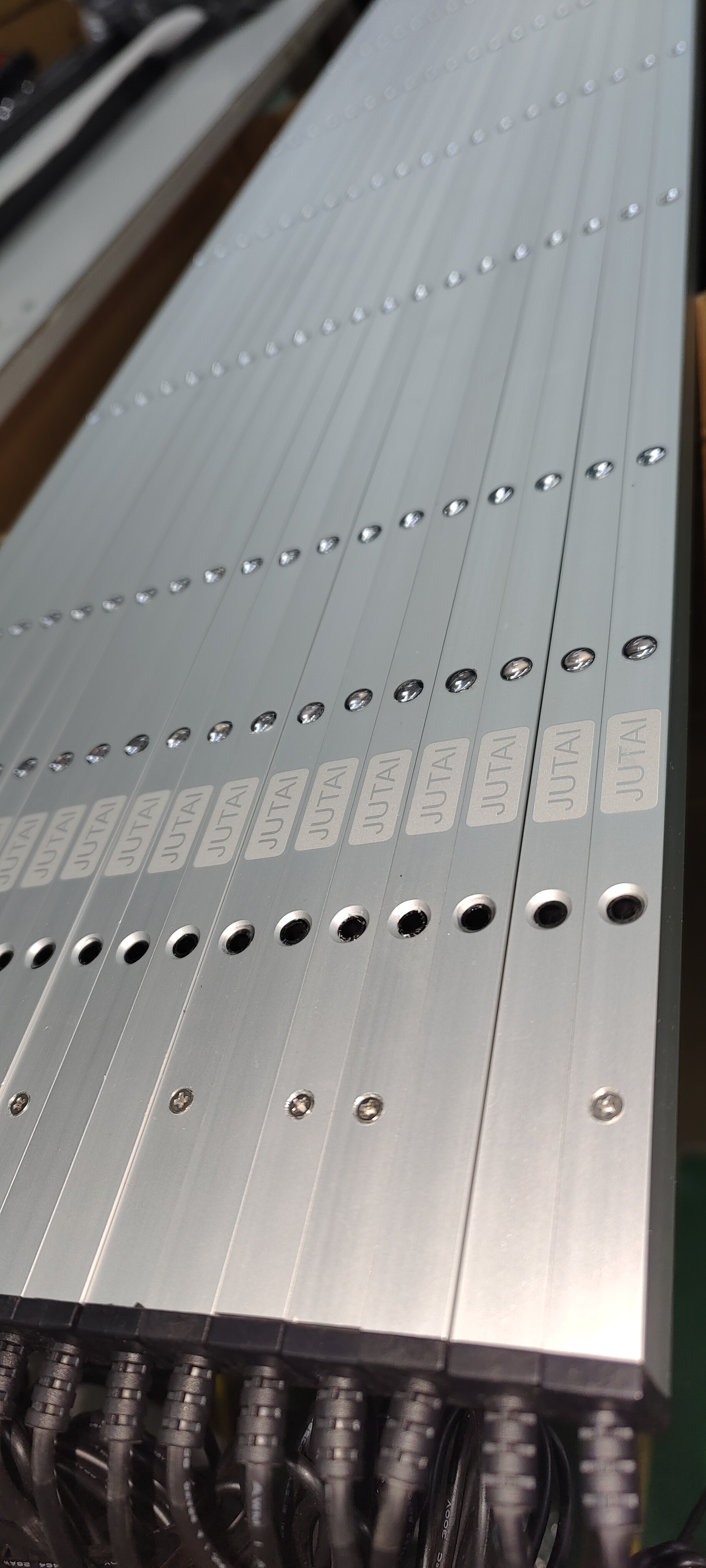
| Protection Rating | IP67 (dustproof + waterproof) |
| Housing Material | Aluminum alloy |
| Operating Range (Emitter to Receiver) | 1-8m |
| Maximum Protection Height | 1729mm |
| Number of Photocells | 8 beams |
| Cable Length | Transmitter: 8m; Receiver: 4m |
| Connector Type | Transmitter: 5-pole M8 male connector; Receiver: 5-pole M8 male
connector |
| Operating Temperature | -20°C ~ +60°C |
| Key Function | Material handling safety protection + automated door anti-pinch +
Blanking Mode (anti-false alarm) |
| LED Status Indicators | Transmitter: Steady blue (normal operation); Fast-flashing red
(voltage <9V or >28V)
Receiver: Steady red (object/personnel blocked); Steady blue (no
obstruction); Flashing blue (first power-on, emitter-receiver
misalignment) |
Key Functions & Advantages
Material Handling Safety Protection
- Adapts to dynamic workflows: Detects personnel or materials near
conveyors, AGVs, or loading docks, triggering equipment stops to
avoid collisions.
- Wide coverage: 1729mm protection height covers material transfer
areas, preventing hazards from falling goods or accidental
intrusion.
Automated Door Anti-Pinch Specialization
- Targets door operation risks: Prevents pinching of hands, limbs, or
materials during automated door closure (fast doors, roller
shutters).
- Blanking Mode: Blocks the first channel without triggering safety
responses, adapting to door gap structures and avoiding false
alarms from normal door operation.
Rugged & Reliable Performance
- IP67 protection: Withstands dust, water splashes, and harsh
industrial environments, suitable for material handling areas with
frequent dust or humidity.
- Wide temperature adaptability: Operates stably in low-temperature
cold storage or high-temperature workshop settings (-20°C ~ +60°C).
- Durable structure: Aluminum alloy shell resists mechanical wear,
vibration, and corrosion from material handling equipment.
Easy Integration & Operation
- Color-coded wiring: Simplifies connection to material handling
control systems and automated door panels.
- Intuitive LED indicators: Enables quick status checks
(normal/blocked/misalignment/voltage issues) without professional
tools.
- Configurable output: Supports NO/NC switching via simple operation
to match different control system requirements.
Wiring Guide
| Component | Wire Color | Function | Notes |
|---|
| Transmitter | Red | DC12-24V Positive Power Supply | Connect to power supply positive terminal |
| Transmitter | Black | Ground (GND) | Connect to power supply negative terminal |
| Transmitter | Green | Reserve | No need for connection in basic use |
| Transmitter | Yellow | Reserve | No need for connection in basic use |
| Transmitter | White | Reserve | No need for connection in basic use |
| Receiver | Red | DC12-24V Positive Power Supply | Same as transmitter power connection |
| Receiver | Black | Ground (GND) | Same as transmitter ground connection |
| Receiver | Green | NO/NC Output (Default NO) | Connect to material handling/door control system signal input |
| Receiver | Yellow | Configurable NC | Activate via Blanking Mode setup |
| Receiver | White | COM (Common Terminal) | Matching terminal for NO/NC output |
Critical Warning: Do NOT connect NO/NC terminals to the power supply positive
terminal, as this will damage the optical relay.
Blanking Mode & NC Configuration Steps
- Power on the system and confirm correct wiring.
- Within 1 minute of power-on, touch the receiver's Green wire to its
GND (Black wire) five times.
- Observe the receiver's Red light blinking to confirm activation:
Yellow wire switches to NC mode, and Blanking Mode is enabled.
Application Scenarios
Material Handling
- Conveyor systems (loading/unloading points, transfer stations)
- Automated Guided Vehicle (AGV) pathways
- Loading docks (material transfer doorways)
- Packaging lines (near moving machinery)
- Warehouse storage/retrieval system access points
Automated Doors
- Fast doors (production lines, logistics centers)
- Roller shutter doors (warehouses, retail back entrances)
- Industrial sectional doors (factory workshops)
- Cold storage doors (material storage facilities)
Troubleshooting
| Fault Symptoms | Possible Causes | Solutions |
|---|
| Receiver's blue light flashes after power-on | Emitter and receiver are misaligned | Readjust the position of both units to ensure parallel alignment |
| Transmitter's red light flashes fast | Power supply voltage <9V or >28V | Check and stabilize the power supply to meet DC12-24V requirements |
| Light curtain works normally, but no safety action (equipment/door) | Wiring error | Recheck wiring against the Wiring Guide; ensure NO/NC is connected
to the correct control signal terminal |
| Unable to enter Blanking Mode | 1. Light leakage during door descent
2. Bottommost beam blocked by debris/materials
3. Door/obstruction fails to meet minimum continuous blocking
distance | 1. Fix door sealing to prevent light leakage
2. Clear debris or materials blocking the beam
3. Adjust door or obstruction to meet continuous blocking distance
requirements |
Usage & Maintenance Caveats
- Keep connecting cables away from high-voltage/high-current
conductors to avoid interference or damage.
- Regularly wipe the emitter/receiver lenses with a dry, soft cloth
to remove dust, material residues, or condensation.
- Do not bend, twist, or pull the cables forcefully; avoid scratching
the infrared lenses.
- Prevent direct sunlight or other infrared light sources from
shining on the receiver (avoids false triggers).
- Ensure the door or obstruction used for Blanking Mode meets the
minimum continuous blocking distance requirement.
Customer Success Stories
"JUTAI's sensor eliminated downtime in our cold storage facility.
The IP67 rating ensured reliable operation even at -25°C."
-- Michael Chen, Warehouse Manager, Leading Cold Chain Logistics
Provider
"The dual-mode feature allowed seamless integration into our
existing infrastructure. Installation was effortless!"
-- Lisa Wang, Safety Engineer, Global Automotive Manufacturer
"JUTAI's CE-certified sensor met our safety standards while
reducing maintenance costs by 30%."
-- David Li, Plant Director, International Pharmaceutical
Corporation
"After installing JUTAI's 16-beam sensor, we saw a 100% reduction
in conveyor-related incidents."
-- Sarah Zhang, Safety Officer, Top E-commerce Fulfillment Center
"The sensor's rapid response time (<=20ms) protected workers
from robotic arm collisions during high-speed operations."
-- John Wu, Engineering Manager, Industrial Equipment Producer
"The IP67 aluminum housing resists water in our food processing
lines while maintaining accuracy."
-- Emily Chen, Quality Assurance Manager, Global Food & Beverage
Company
"JUTAI's sensor improved AGV collision avoidance, reducing downtime
by 25%."
-- Kevin Liu, Logistics Director, Automated Storage Solutions
Provider
"The sensor ensures fire doors close safely without compromising
personnel safety during drills."
-- Jason Zhou, Technical Lead, Fire Protection Systems Company








 30ms Quick Response IP67 Waterproof Safety Light Curtain For Industrial High Speed Doors

